 how-to
Calibrating Press Brake Backgauge Accuracy: Step-by-Step
Last Updated: October 22, 2026
Quick Summary
Calibrating press brake backgauge accuracy means commanding known positions, measuring the finger face against a fixed reference, and correcting axis offsets in the CNC controller until measured matches commanded. Then test repeatability over ten moves and check backlash at three positions before documenting the results.
- Clean the gauge fingers, linear guides, and ball screw first, since debris on a guide rail translates directly into position error.
- Fix ram-to-bed parallelism and machine leveling before calibrating, or the backgauge will appear inaccurate even when set correctly.
- Test five commanded positions across the working range and repeat each move three times to separate accuracy from repeatability.
- Set acceptance criteria from part requirements, machine specification, and measurement capability, and write them down before measuring.
- If only the X-axis drifts, suspect that axis's encoder, coupling, screw, or guide rather than the controller.
Table of Contents
- What Press Brake Backgauge Calibration Covers and Why It Matters
- Tools and Prerequisites Before You Start
- Step 1: Clean, Inspect, and Prepare the Machine
- Step 2: Check Ram-to-Bed Parallelism and Machine Leveling
- Step 3: CNC Press Brake Backgauge Calibration and Axis Positioning
- Step 4: Press Brake Backgauge Alignment with the Bending Tool
- Step 5: Repeatability Testing and Documented Acceptance Criteria
- Press Brake Backgauge Troubleshooting: Axis-Specific Diagnostics
- Frequently Asked Questions
What Press Brake Backgauge Calibration Covers and Why It Matters
Press brake backgauge calibration verifies and corrects the position accuracy and repeatability of the gauge fingers that stop sheet metal before each bend.
Most shops calibrate the ram and tooling but skip the backgauge. That's backwards. The backgauge sets where every bend lands, so its accuracy drives dimensional accuracy on the finished part.
Below is the full calibration sequence, from cleaning and inspection to a documented acceptance test, the difference between a machine that "looks fine" and one you can trust on a tolerance-critical job.
Tools and Prerequisites Before You Start
Gather the right measuring tools before touching a single setting:
- A precision ruler or calibrated steel scale
- A dial indicator with a magnetic base
- A machinist square
Confirm the machine is powered down and locked out before any physical inspection, and check that the CNC controller has a saved reference position you can return to. On a servo-driven backgauge, note the encoder values to spot drift after calibration.
Step 1: Clean, Inspect, and Prepare the Machine
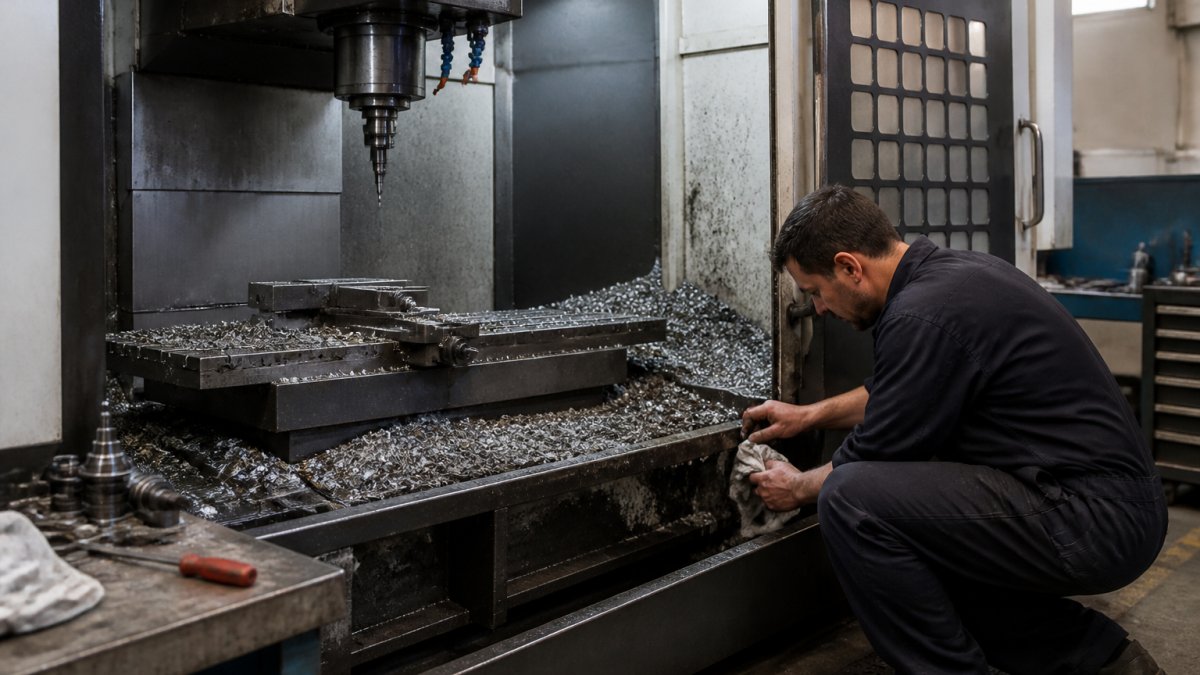
Dirt and metal dust cause more backgauge errors than most operators realize. Wipe down the gauge fingers, linear guides, and ball screw or rack, debris on a guide rail translates directly into position error.
Then inspect for mechanical wear. Look for:
- Loose or cracked gauge fingers
- Play in the backgauge carriage
- Worn linear bearings
A dial indicator against the carriage will show play a visual check misses. Push the carriage gently by hand and watch the needle; movement beyond your tolerance limit means mechanical repair before calibration.
Step 2: Check Ram-to-Bed Parallelism and Machine Leveling
You can't calibrate a backgauge on a machine that's out of level or has a crooked ram.
If parallelism is off, the backgauge will appear inaccurate even when it's set correctly. Fix the ram first. Then verify machine leveling with a precision level on the bed, front to back and side to side.
Confirm the crowning system is at its neutral or reference setting before you measure anything.
Step 3: CNC Press Brake Backgauge Calibration and Axis Positioning
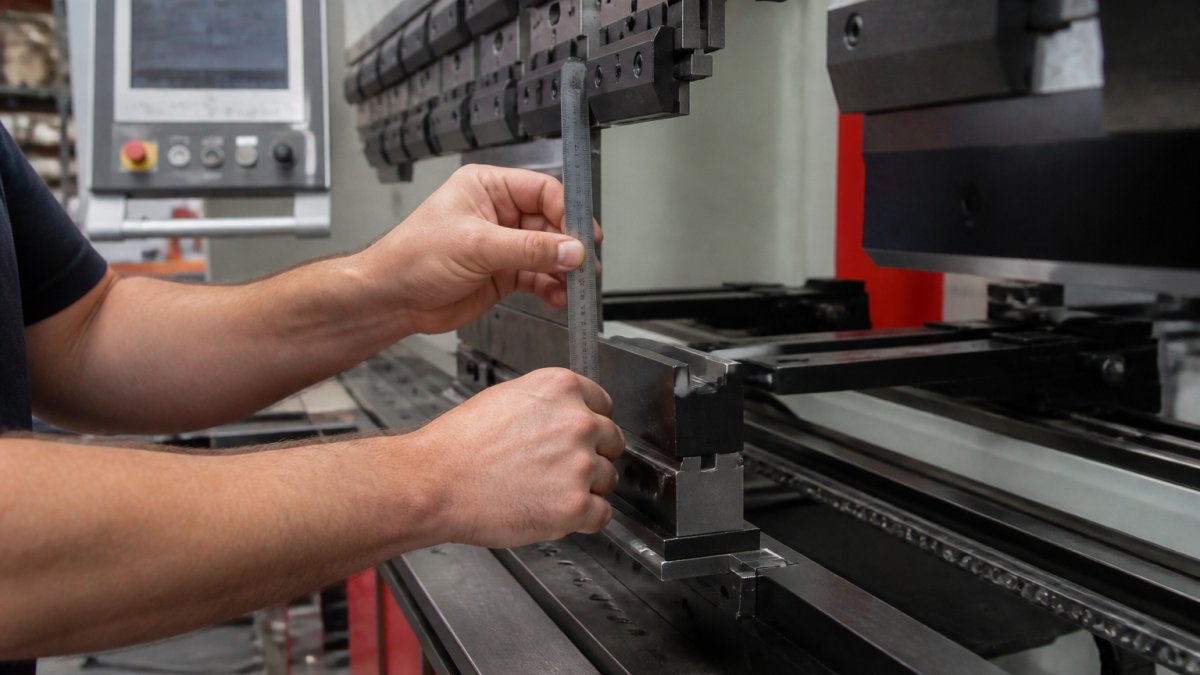
CNC press brake backgauge calibration starts with the controller's reference position.
If they differ, adjust the axis offset in the CNC controller, usually a parameter offset or home-position correction. Change it in small increments, re-command the axis, and measure again until measured matches commanded within tolerance.
A Repeatable Measurement Protocol
A single spot check tells you almost nothing. Use a protocol that separates positioning error from setup noise:
- Pick five commanded positions across the axis's working range, for example, 2.000 in, 6.000 in, 12.000 in, 24.000 in, and 36.000 in, reflecting the flange lengths you actually run.
- At each position, command the move, let the axis settle, and measure the finger face to the reference with a dial indicator on a magnetic base or a calibrated steel scale, depending on the tolerance you need.
- Record the reading. Repeat the move to the same commanded position three times and record each result.
- Move away at least 2 in between repeats so the axis has to travel back, not just nudge.
- Calculate the deviation at each position (measured minus commanded) and the spread across the three repeats.
Deviation tells you about accuracy; spread tells you about repeatability, different problems with different fixes. A consistent offset across all five positions is usually a reference or offset parameter issue. Deviation that grows with distance points to scale, screw, or encoder calibration. A wide spread at one position points to mechanical play or a binding guide.
Backlash, Approach Direction, and Axis Compensation
Backlash is the lost motion when an axis reverses direction, the hidden cause of backgauge position error that shows up only on some moves. Test it directly:
- Command the axis to a target from the negative direction (approach from a smaller value). Measure and record.
- Command the axis past the target by at least 0.100 in, then command it back to the target from the positive direction. Measure and record.
- The difference between the two readings is the reversal error at that point. Repeat at two or three positions across the range.
If the gap is real, correct it with backlash compensation in the controller, or always approach the target from the same direction in your programs. Approach direction matters as much as the number: a backgauge that creeps up from the positive side behaves differently than one that overshoots and returns. Many shops standardize on a single approach direction for critical flanges and document it in the setup sheet, cheaper than chasing compensation values that drift with wear.
Axis-Specific Checks and Controller Settings
Parameter names and locations differ by control, so use the controller manual as the authority. The diagnostic logic stays consistent:
- X-axis only drifts: suspect that axis's encoder, coupling, screw, or guide. Check the coupling for play with a dial indicator while jogging the axis.
- All axes drift together: suspect the reference position, machine leveling, or a controller parameter that was reset or restored from an old backup.
- Position jumps rather than drifts: suspect the encoder or its cable. A frayed encoder cable can produce intermittent counts that look like random position error.
Record the parameter values you change, the date, and the before-and-after readings. Controller parameters are easy to lose in a backup restore, and a written record is the only way to know whether the machine was calibrated or just re-zeroed.
Separating Backgauge Error from Material and Process Variation
Not every bad bend is a backgauge problem. Springback, material thickness variation, and die wear all shift the bend line. To isolate backgauge error, run a test bend on a known-thickness coupon, measure the flange, then re-measure the backgauge position itself.
If the backgauge position is accurate but the flange is off, look at material and process; if the backgauge position is off, look at the axis. Don't chase material problems with controller offsets or controller problems with material changes.
Step 4: Press Brake Backgauge Alignment with the Bending Tool
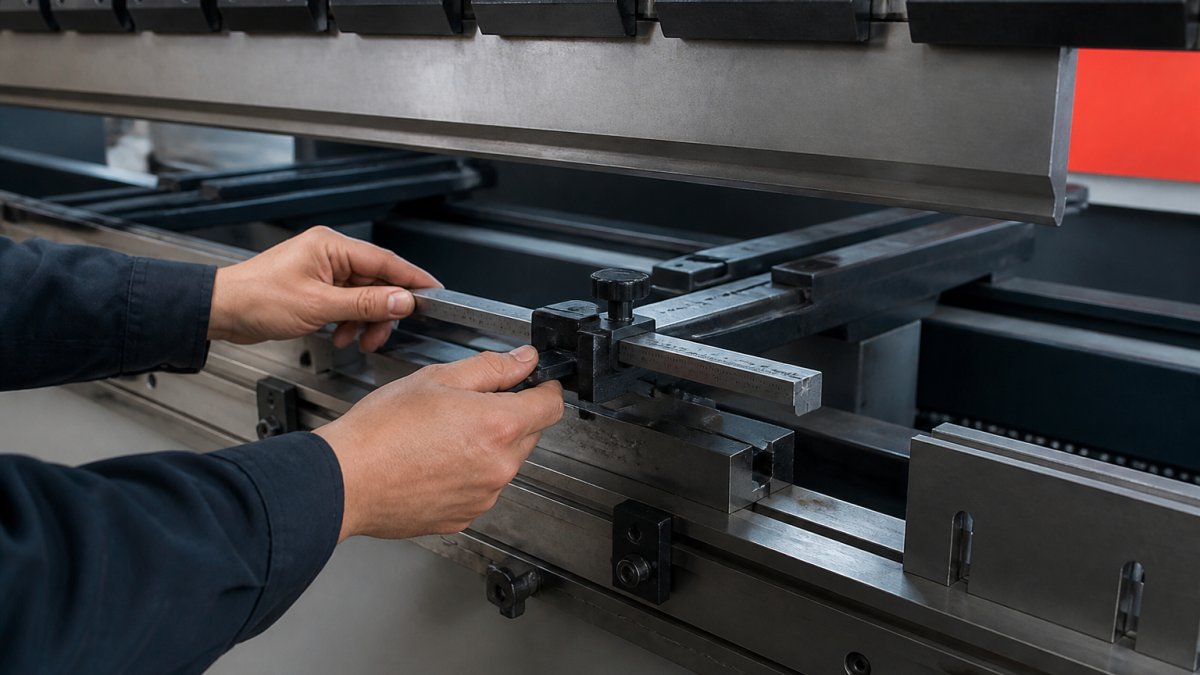
Press brake backgauge alignment means the gauge fingers sit square to the punch and die, not just at the right distance.
Set a machinist square against the die face and check that the gauge finger face runs parallel to it, adjusting the finger mounting or carriage alignment if it's off.
For multi-finger setups, check each finger individually. One misaligned finger produces a part that's square on one side and skewed on the other, and that's a scrap part.
Step 5: Repeatability Testing and Documented Acceptance Criteria
Repeatability separates a calibrated machine from a lucky one. Command the backgauge to the same position ten times and measure each result; the spread between the highest and lowest reading is your repeatability.
But a spread number is meaningless unless your measurement can resolve it, the part most calibration write-ups skip, and the part that decides whether you are fixing a real problem or chasing noise.
Measurement Uncertainty and Tool Selection
Before you judge an error, confirm your measurement can see it. Match the tool to the tolerance:
- Dial indicator on a magnetic base: typical resolution 0.0005 in, suitable for checking repeatability and backlash on a backgauge with a tolerance in the thousandths. Confirm the indicator is within its calibration interval and that the base is seated on a clean, solid surface.
- Calibrated steel scale or precision ruler: resolution around 0.010 in to 0.020 in by eye. Fine for a gross position check, not fine enough to certify a 0.005 in tolerance.
- Test coupon and micrometer or caliper: measures the result, not the backgauge, so it carries the bending process variation with it. Use it to confirm the outcome, not to set the axis.
Practical rule: the measuring tool should resolve at least one-tenth of the tolerance you are trying to hold (3.3.3.1. Identifying Parameters, Ranges and Resolution). If your acceptance criterion is 0.005 in, a tool that reads to 0.010 in cannot prove the machine passes. Note the tool, its resolution, and its calibration status in the record, without that, it proves nothing to the next technician or a customer audit.
Setting Acceptance Criteria That Mean Something
Do not borrow a universal threshold. Set tolerances from three inputs:
- Part requirements: the tightest flange dimension on the work you run. If the print allows 0.010 in on a flange, a backgauge repeatability of 0.002 in leaves margin for material and process variation.
- Machine specification: the manufacturer's stated positioning accuracy and repeatability for the axis. Do not set a criterion tighter than the machine was built to hold.
- Measurement capability: the uncertainty of your tool and setup. A criterion at or below your measurement uncertainty cannot be verified.
A common pattern: set position accuracy at the machine specification and repeatability at roughly half of that, then confirm the combination still leaves margin against the tightest part tolerance. Write the numbers down before you start measuring, not after.
A Sample Calibration Log
Use a log that captures enough to reproduce the test. A workable format:
| Field | Example Entry |
|---|---|
| Date and technician | 10/22/2026, J. Rivera |
| Machine and axis | Press brake 1, X-axis |
| Tool and resolution | Dial indicator, 0.0005 in, cal. due 04/2027 |
| Commanded positions tested | 2.000, 6.000, 12.000, 24.000, 36.000 in |
| Deviation at each position | +0.001, +0.001, 0.000, -0.001, -0.002 in |
| Repeatability spread (10 moves) | 0.0015 in |
| Backlash at three positions | 0.0008, 0.0010, 0.0012 in |
| Acceptance criteria | Accuracy ±0.002 in, repeatability 0.002 in |
| Result | Pass |
| Parameters changed | X-axis offset +0.001 in |
Keep the completed log in the machine's maintenance file. It proves the calibration, gives the next technician a baseline, and reveals a trend if repeatability is slowly degrading, usually the first sign of wear in the screw, guide, or coupling.
| Check | What It Confirms | Pass Criteria |
|---|---|---|
| Reference position | Axis zero is correct | Measured equals commanded within tool resolution |
| Backlash test | No lost motion on reversal | Reversal error within stated tolerance at three positions |
| Finger alignment | Square to the die | Parallel to square within 0.001 in over the finger length |
| Repeatability | Consistent positioning | Spread over 10 moves within the tighter band |
| Measurement capability | The test can detect the tolerance | Tool resolves at least one-tenth of the criterion |
Press Brake Backgauge Troubleshooting: Axis-Specific Diagnostics
Press brake backgauge troubleshooting starts with narrowing the fault to one axis.
Common culprits include:
- Encoder faults that cause position jumps
- Loose couplings that add play
- Servo motor tuning that overshoots
Check the axis-specific error in the controller diagnostics screen first. Then verify the mechanical side with a dial indicator.
When a machine needs more than calibration, our factory-trained technicians at Machine Tool Science isolate the root cause before quoting any repair.
A backgauge that won't hold position after calibration usually points to deeper wear or a control fault, and that's where downtime starts eating into production.
Frequently Asked Questions
How often should a press brake backgauge be checked or calibrated?
Check backgauge positioning accuracy weekly with a test bend and a quick ruler check, and run a full calibration quarterly or after any crash, ram adjustment, or controller change. Shops running high-volume or tight-tolerance work should shorten that interval. Track deviation trends in a log; if position error grows between checks, move to a monthly full calibration. Any time the machine is moved or leveled, recalibrate before production resumes.
What causes inconsistent press brake backgauge positioning?
The usual causes are mechanical wear on the ball screw or linear guide, backlash that the controller is not compensating for, loose gauge fingers, a dirty or damaged encoder scale, and approach-direction errors in the program. Material variation and springback also show up as inconsistency, so separate backgauge error from bending-process variation with a repeatability test on the same test piece before adjusting anything. Document each axis separately.
What tools are needed to measure backgauge accuracy?
You need a precision ruler or calibrated measuring tape, a dial indicator with a magnetic base, a machinist square, a test piece of known thickness, and a test bend coupon. A granite surface plate helps for off-machine checks. Keep the measuring tools calibrated and record their uncertainty so the acceptance criteria reflect real measurement capability, not just the machine's nominal spec.
When should press brake backgauge calibration be handled by a technician?
Call a factory-trained technician when position error exceeds your documented tolerance after cleaning and backlash compensation, when an axis faults or the encoder signal drops, when the backgauge has taken a hit, or when the controller will not accept a new reference position. Mechanical repair of the ball screw, guide, or servo motor is not a shop-floor task. A technician can also verify ram-to-bed parallelism and machine leveling, which affect every backgauge measurement.